
AI videos are changing the way creators and small businesses make Instagram Reels. You no longer need expensive cameras, complicated editing software, or a large production team to create engaging video content.
With AI video tools, you can turn an idea or simple text prompt into a short video, create animated images, generate scenes, add voiceovers, and speed up your editing workflow.
In this guide, you’ll learn how to create AI videos for Instagram Reels in 2026, even if you are completely new to AI video creation.
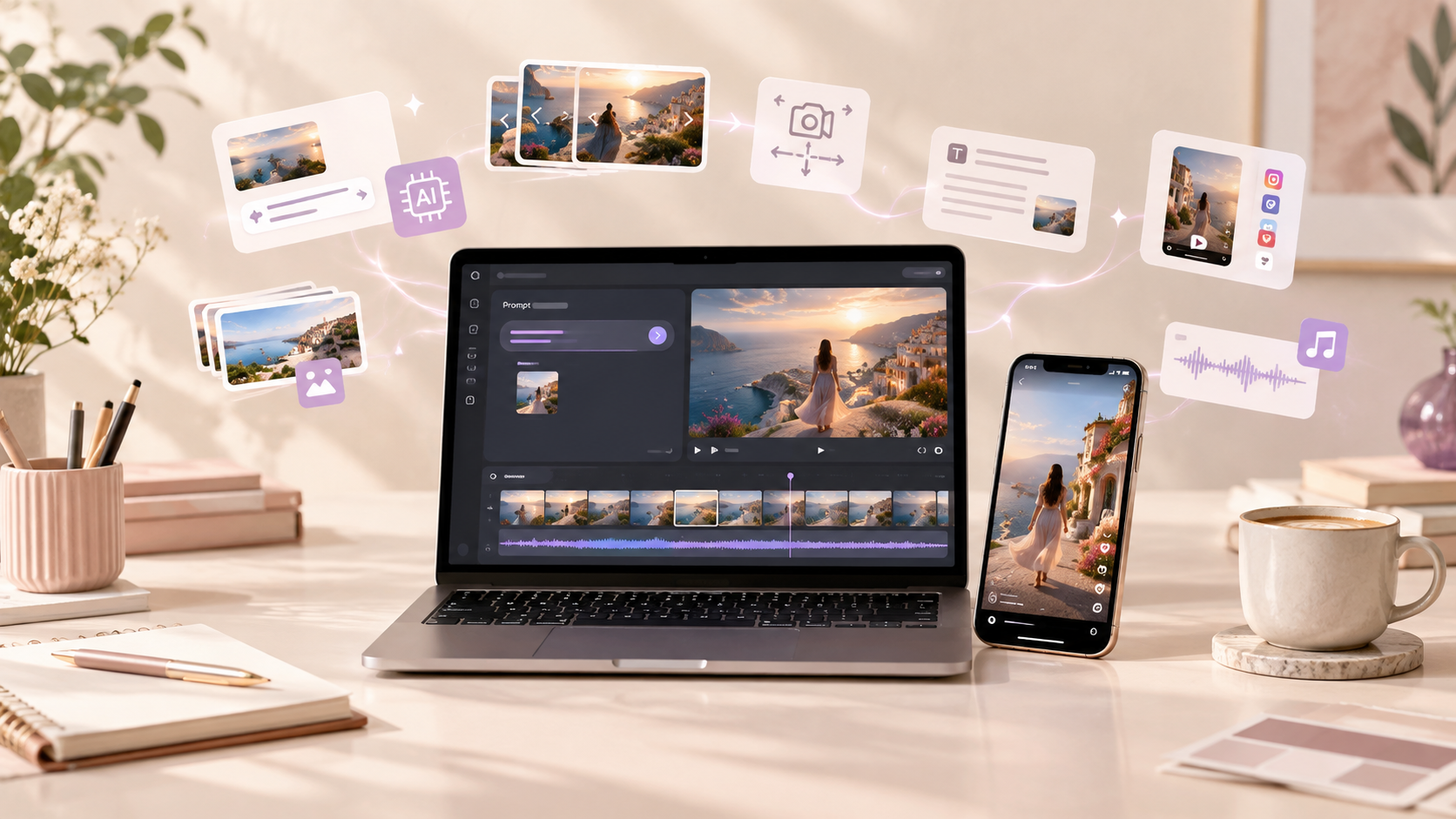
What Are AI Videos for Instagram Reels?
AI videos are videos created or enhanced using artificial intelligence tools. Depending on the tool you use, AI can help you generate video scenes, animate images, write scripts, create voiceovers, add captions, and edit your final Reel.
For example, you can start with an idea such as:
“A cozy morning coffee scene in a modern home with soft sunlight.”
An AI video generator can turn that idea into a visual scene that you can use as part of an Instagram Reel.
This makes AI video creation useful for creators, bloggers, entrepreneurs, online businesses, and social media managers.
Why Create AI Videos for Instagram Reels in 2026?
Instagram Reels remain an important format for reaching new audiences and presenting content in a short, visual format.
AI can make the process faster because it can help with several stages of production.
1. Faster Content Creation
Instead of creating every visual manually, you can use AI to generate ideas, scripts, images, video clips, and other creative elements.
2. Create Videos Without a Camera
You don’t always need to record yourself. AI-generated scenes, animated graphics, product visuals, and stock footage can be combined to create a Reel.
3. Experiment With Different Ideas
AI makes it easier to test different visual styles, hooks, story ideas, and concepts before spending significant time editing.
4. Useful for Small Businesses
Small businesses can use AI videos to create product demonstrations, educational content, promotional Reels, tutorials, and storytelling videos.
5. Repurpose Existing Content
A blog post, article, ebook, product description, or Pinterest idea can become the starting point for several short-form videos.
How to Create AI Videos for Instagram Reels
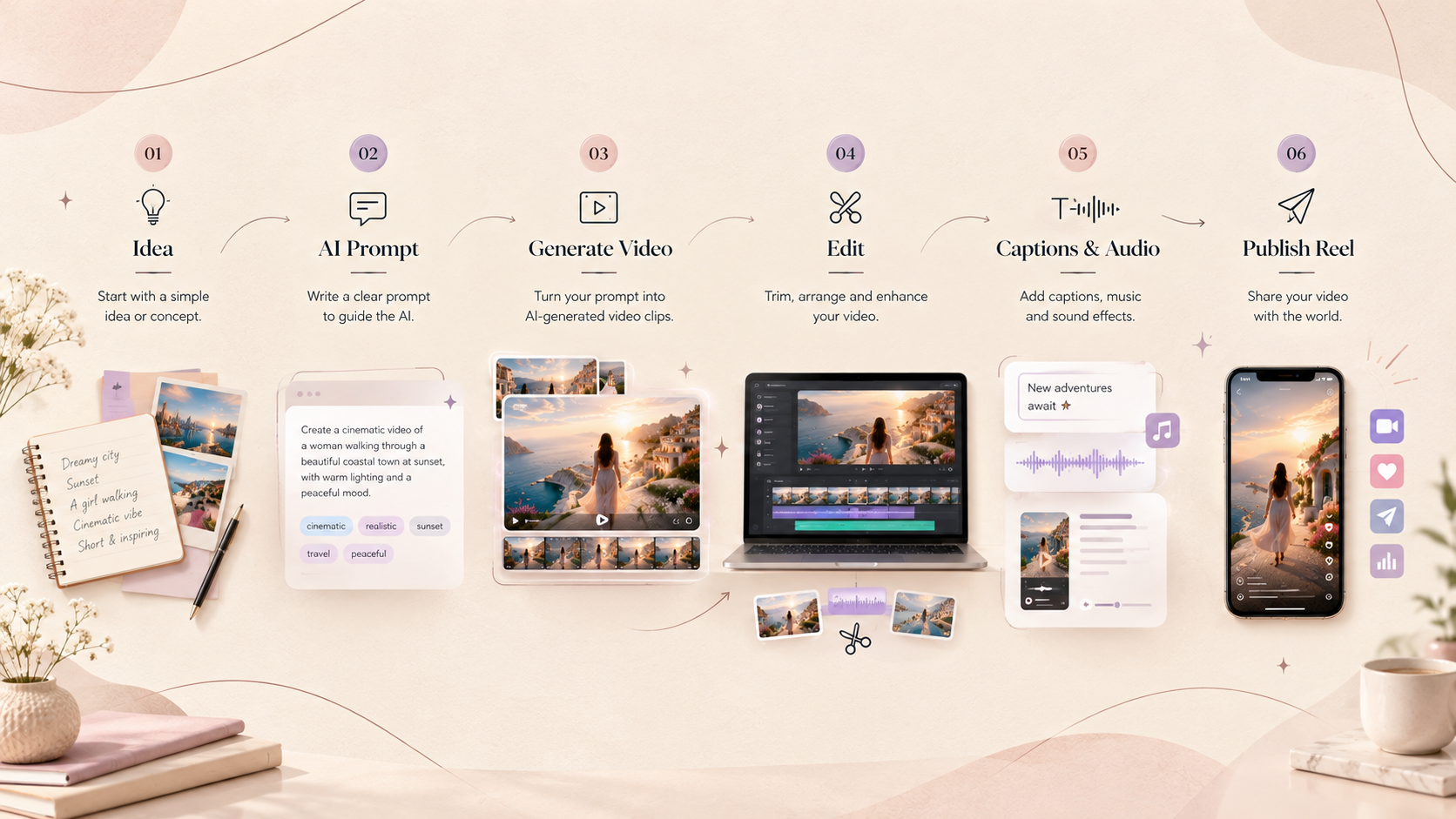
You can create an AI Reel by following a simple workflow.
Step 1: Choose Your Reel Topic
Start with one clear idea.
Don’t try to explain everything in a single Reel. Instagram users usually need a strong reason to keep watching.
For example, instead of:
“Everything About AI”
try:
“3 AI Tools That Can Save You Hours Every Week.”
Other Reel ideas include:
- AI tips for beginners
- AI tools for small businesses
- Canva design tips
- Content creation ideas
- Productivity hacks
- Before-and-after transformations
- AI tutorials
- Product demonstrations
- Mini storytelling videos
- Educational facts
Choose a topic that provides one clear takeaway.
Step 2: Write a Short Reel Script
Before generating visuals, create a simple script.
A useful structure is:
Hook → Value → Call to Action
For example:
Hook:
“Want to create Instagram Reels without filming yourself?”
Value:
“AI video tools can help you create scenes, animate images, generate voiceovers, and edit your content faster.”
Call to Action:
“Save this post and try it for your next Reel.”
Keep your sentences short and conversational.
Step 3: Create an AI Video Prompt
Your prompt tells the AI what you want to see.
A basic prompt might look like:
“Create a cinematic vertical video of a woman working on a laptop in a modern creative studio, warm natural lighting, realistic details, slow camera movement, premium editorial style.”
For better results, describe:
- Subject
- Action
- Location
- Camera movement
- Lighting
- Mood
- Visual style
- Composition
- Aspect ratio
The more clearly you describe the scene, the easier it is to guide the AI.
Step 4: Generate Your Video Clips
Choose an AI video generator that supports the type of content you want to create.
Depending on the platform, you may be able to generate videos from:
- Text prompts
- Images
- Existing video
- Product images
- AI-generated characters
- Storyboards
Instead of generating one long video, consider creating several short clips.
For example:
Scene 1: Person opening laptop
Scene 2: AI-generated visuals appearing on screen
Scene 3: Finished video playing
Scene 4: Creator reviewing the result
You can then combine these clips into one Reel.
Step 5: Keep Your Instagram Reel Vertical
Instagram Reels are designed for vertical viewing.
9:16 vertical format is generally the best choice for full-screen Reel content.
A common working resolution is:
1080 × 1920 pixels
Design important text and visual elements so they don’t get hidden by Instagram’s interface.
Step 6: Add Voiceover or Music
Audio can make an AI Reel feel more engaging.
You can use:
- Your own voice
- AI-generated voiceovers
- Background music
- Sound effects
- Trending audio where appropriate
If you use an AI voice, choose one that sounds natural and matches the tone of your content.
For educational videos, a clear and friendly voice usually works better than an overly dramatic one.
Step 7: Add Captions and On-Screen Text
Many people watch social media videos without sound, so captions can make your content easier to understand.
Keep text short.
Instead of putting a complete paragraph on the screen, use phrases such as:
“Create AI Reels Faster”
or
“3 Steps to Start”
Use readable fonts and maintain enough contrast between your text and background.
Step 8: Edit the Final Reel
AI-generated clips may look good individually but still need editing.
Use your preferred video editor to:
- Remove unnecessary sections
- Arrange clips
- Add transitions
- Add captions
- Adjust timing
- Add music
- Add your branding
- Improve the overall flow
The goal is not to show everything AI can generate.
The goal is to tell a clear story in a short amount of time.
Best AI Video Ideas for Instagram Reels
If you are wondering what to create, here are some ideas you can adapt.
AI Tutorial Reels
Show viewers how to use an AI tool for a specific task.
AI Before-and-After Videos
Show how a basic image, design, or idea can be transformed using AI.
AI Product Videos
Businesses can create visual product demonstrations or promotional scenes.
Educational Reels
Explain one AI concept or tip in 20–60 seconds.
Storytelling Reels
Use AI-generated characters and environments to create short visual stories.
AI Design Inspiration
Show AI-generated concepts for websites, interiors, branding, social media graphics, or other creative projects.
Behind-the-Scenes AI Workflows
Show how you move from an idea to a finished video.
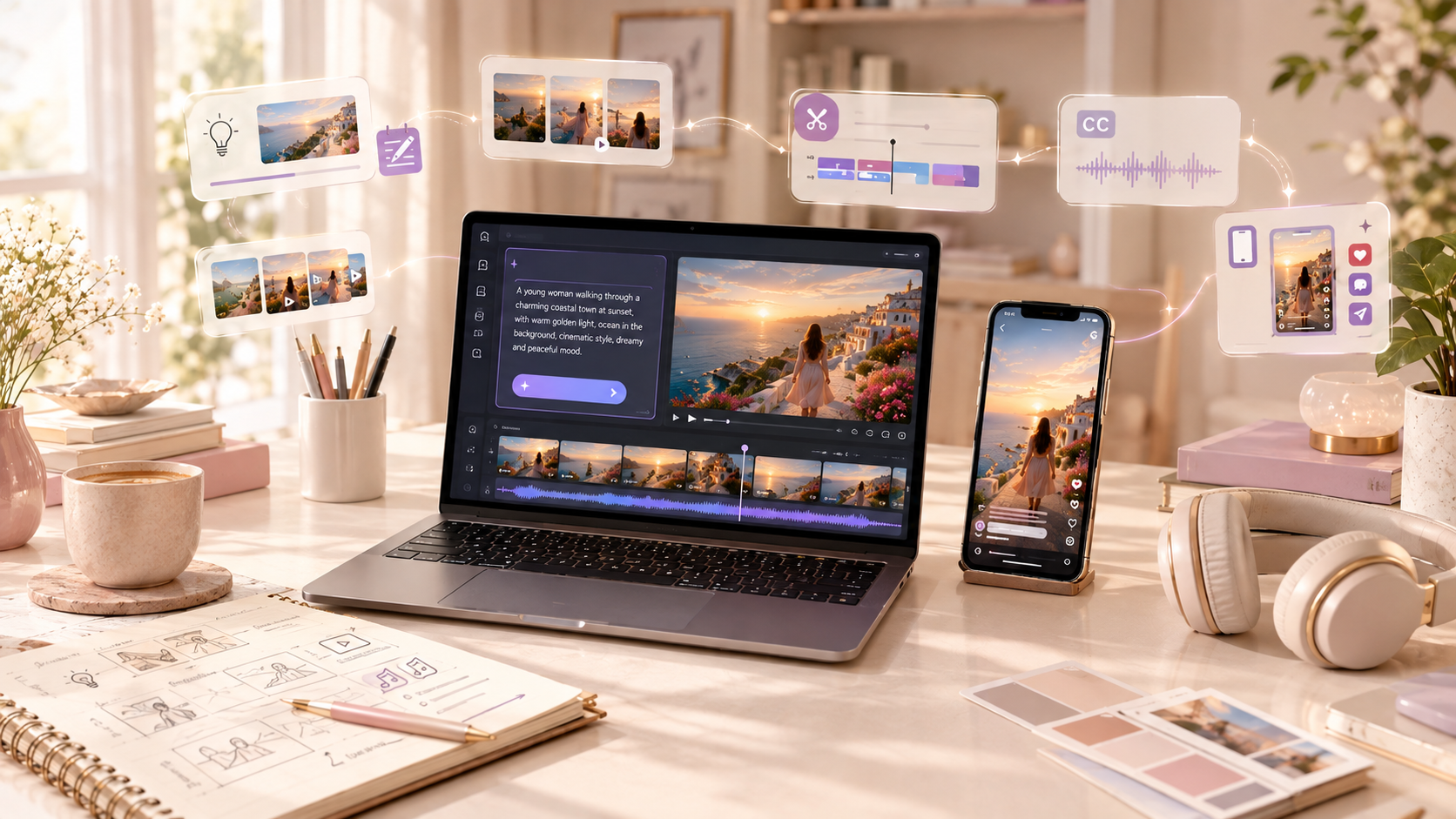
How to Write Better AI Video Prompts
One of the biggest factors affecting AI-generated video quality is the prompt.
Instead of writing:
“Create a beautiful AI video.”
give the AI more useful information.
Try:
“Create a realistic cinematic vertical video of a modern creative workspace. A woman is working on a laptop while colorful digital designs appear on the screen. Soft morning sunlight enters through a large window. Slow camera push-in, realistic textures, premium editorial aesthetic, natural movement, shallow depth of field, 9:16 composition.”
This prompt gives the AI information about the:
- Subject
- Environment
- Action
- Lighting
- Camera movement
- Style
- Composition
A Simple AI Video Prompt Formula
You can use this formula:
Subject + Action + Location + Camera + Lighting + Style + Mood + Format
For example:
“A small business owner + designing social media content + in a modern studio + slow camera movement + soft natural lighting + cinematic realistic style + inspiring mood + vertical 9:16.”
How to Make AI Reels Look More Professional
AI-generated content can sometimes look artificial. A few simple techniques can make your Reel feel more polished.
Keep the Visual Style Consistent
If you are creating several scenes, try to maintain similar:
- Characters
- Colors
- Lighting
- Clothing
- Locations
- Camera style
This is especially important when creating storytelling videos.
Use Short Clips
Short clips can make your Reel feel faster and more dynamic.
Instead of showing one scene for a long time, use several related shots.
Start With a Strong Hook
The first few seconds are important.
Examples:
“You can create this Reel without a camera.”
“Here is how I create AI videos in minutes.”
“Stop making your AI videos this way.”
“3 AI video ideas you can try today.”
Don’t Overload the Reel
One Reel doesn’t need ten different ideas.
Choose one topic and make it easy to understand.
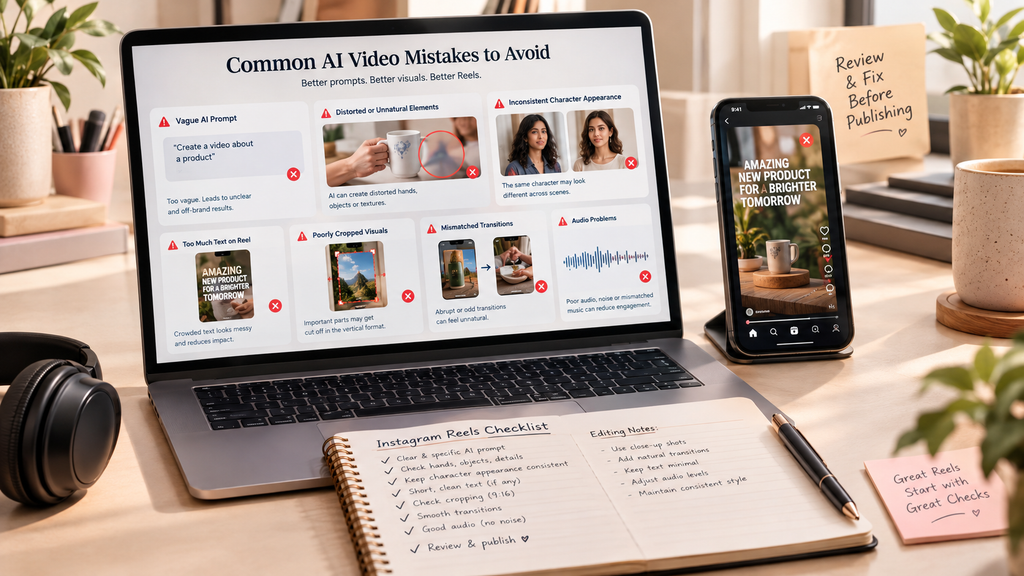
Common AI Video Mistakes to Avoid
Creating an AI video is easy, but creating a good Reel requires some planning.
Mistake 1: Using Vague Prompts
A vague prompt often produces unpredictable results.
Instead of:
“Make a cool video.”
Try:
Describe the subject, environment, movement, lighting, and visual style.
Mistake 2: Making the Reel Too Long
If your idea can be explained in 20 seconds, don’t stretch it to one minute.
Mistake 3: Adding Too Much Text
Large blocks of text can make a Reel difficult to watch.
Mistake 4: Ignoring Branding
If you are creating content for a business, maintain consistent fonts, colors, visual style, and brand elements.
Mistake 5: Publishing Without Watching the Final Video
Always watch the complete Reel before publishing.
Check for:
- Spelling mistakes
- Strange AI-generated movements
- Incorrect text
- Audio problems
- Sudden transitions
- Cropped visuals
- Inconsistent characters
AI Video Workflow for Instagram Reels
A simple workflow you can repeat for every Reel is:
1. Choose a topic
↓
2. Write the hook
↓
3. Create the script
↓
4. Generate AI visuals
↓
5. Create or record the voiceover
↓
6. Edit the clips
↓
7. Add captions and branding
↓
8. Review the Reel
↓
9. Publish and analyze the results
Once you develop a repeatable workflow, creating AI Reels becomes much easier.
Can Beginners Create AI Videos for Instagram?
Yes. You don’t need to be an experienced video editor to start.
The most important skills are understanding your audience, creating useful ideas, writing clear prompts, and learning basic video editing.
Start with simple videos rather than trying to create a complete cinematic production immediately.
Create one Reel, see what works, improve your process, and repeat.
How Priya Studios Can Use AI Videos
For a creative brand like Priya Studios, AI video creation can be used to turn ideas into engaging visual content.
For example, you can create Reels about:
- AI tools
- Digital design
- Canva tips
- AI content creation
- Pinterest marketing
- Blogging tips
- Digital products
- AI tutorials
- Productivity
- Creative workflows
You can also turn your existing blog articles into short educational Reels.
For example, a blog about Pinterest SEO could become a Reel titled:
“3 Pinterest SEO Tips Beginners Should Know.”
One blog post can therefore become multiple pieces of content.
Final Thoughts
Learning how to create AI videos for Instagram Reels in 2026 can help creators and businesses produce more visual content without relying entirely on traditional video production.
The best approach is to start simple: choose one useful topic, write a strong hook, create clear AI prompts, generate short clips, edit them into a vertical Reel, and add captions and audio.
AI can make video creation faster, but your idea, storytelling, and understanding of your audience are still what make the content valuable.
Start with one Reel today, experiment with different AI video styles, and build a workflow that works for you.
Want more practical guides about AI, design, digital content, and online growth? Explore more resources from Priya Studios.